





How Do I Change My Username?
If you would like to change your username, please follow these steps:
- Log in to the Polka Dot Powerhouse website.
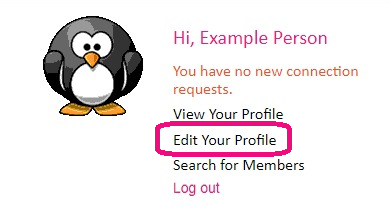
- Click on the link that is located under your profile image that says "Edit Your Profile".
- Go to the "Account Information" tab.

- You can change your username by entering your new username into the "Username" field.

- Click the Pink "Update" button at the bottom to complete your update.